Download WINZ Forms and Applications
If you are looking to access financial assistance in New Zealand, the first step is often to download winz forms to begin your application process. Navigating the social security landscape in Aotearoa can be complex, but the Ministry of Social Development (MSD) provides a structured pathway for individuals and families to receive the support they are entitled to. Whether you are seeking Jobseeker Support, an Accommodation Supplement, or emergency hardship assistance, having the correct documentation is the cornerstone of a successful application. This guide provides a comprehensive overview of the Work and Income (WINZ) system, ensuring you have the tools to secure your financial future.
Table of Contents
- How to Download WINZ Forms for Social Security Benefits
- The Essential Guide to Why You Should Download WINZ Forms
- Comprehensive List of WINZ Application Forms
- Identity Verification and the RealMe System
- How to Submit Your Completed Forms Effectively
- Navigating Hardship and Emergency Assistance
- Disability Allowance and Health-Related Support
- Conclusion and Key Takeaways

How to Download WINZ Forms for Social Security Benefits
Accessing the right paperwork is essential for any interaction with Work and Income. To download winz forms, users typically visit the official Ministry of Social Development portal. The forms are categorized by the type of assistance required, ranging from general income support to specific grants for childcare or dental emergencies. It is imperative to use the most current version of these forms, as legislative changes—such as updates to the Social Security Act 2018—frequently result in updated criteria and documentation requirements.
For those who prefer digital workflows, the ‘Forms and Brochures’ section of the Work and Income website acts as a centralized repository. Most files are provided in PDF format, allowing for easy printing or digital annotation. If you are unable to print forms at home, you can visit any local service center across New Zealand, from Northland to Southland, where staff can provide physical copies. However, downloading them ahead of time allows you to gather the necessary evidence, such as bank statements, tax records from Inland Revenue (IRD), and medical certificates, in the comfort of your own home.
The Essential Guide to Why You Should Download WINZ Forms
The primary reason to download winz forms is to maintain control over your application narrative. While the MyMSD digital portal is the fastest way to apply for many benefits, certain complex situations—such as applying for a Disability Allowance or the Supported Living Payment—require detailed supplementary forms that are best managed through physical or PDF versions. These forms allow for extensive detail regarding your health conditions or living circumstances that a simple web form might lack.
Furthermore, downloading forms serves as a personal record. When you fill out a physical application, you can make copies for your own files before submission. This is a critical step in professional document management, ensuring that if there is a dispute regarding your entitlement date or the information provided, you have a direct reference point. In the context of New Zealand’s social welfare system, clarity and evidence-based applications are processed significantly faster than incomplete digital submissions.

Comprehensive List of WINZ Application Forms
New Zealand offers a robust safety net, and the variety of forms reflects the diverse needs of the population. Understanding which document corresponds to your situation is the first step toward approval. Below is a detailed breakdown of the most frequently used forms and their purposes.
The Main Application Form
The ‘Main Application’ is the flagship document for MSD. It is used to apply for Jobseeker Support, Sole Parent Support, and the Supported Living Payment. This form is extensive, covering your personal details, partner information, dependency status, and a full disclosure of assets and income. Because this form is so comprehensive, many people choose to download winz forms of this type to review the questions before attempting the final submission.
- Jobseeker Support: For those looking for work or unable to work due to health issues in the short term.
- Sole Parent Support: Financial aid for single parents with children under 14.
- Supported Living Payment: For those with a permanent disability or those caring for someone who does.
- Accommodation Supplement: A non-taxable payment to help with rent, board, or home ownership costs.
Supplementary and Hardship Forms
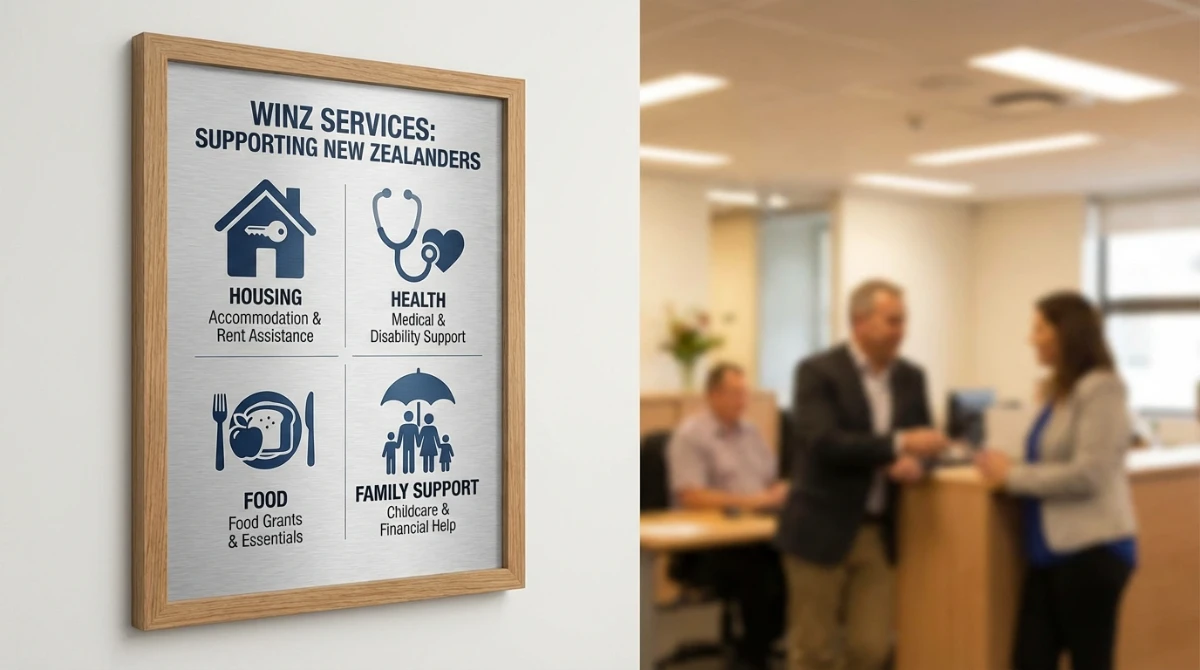
Beyond the main benefits, supplementary assistance helps cover specific costs. These often require individual forms that focus solely on the financial exigency at hand. For example, the ‘Extra Help’ forms cover things like the Disability Allowance, which assists with ongoing costs related to a medical condition, such as doctor’s fees, prescriptions, or specialized transport.
Identity Verification and the RealMe System
A critical component of any application is the verification of your identity. Work and Income requires high-level assurance that the person applying is who they say they are. This usually involves providing at least two forms of ID, such as a New Zealand Passport, Birth Certificate, or Driver’s License. In recent years, the NZ Government has streamlined this via the RealMe system.
When you download winz forms, you will notice a section dedicated to identity. If you have a verified RealMe identity, you can often bypass physical document sighting at a WINZ office. This digital identity service allows you to prove who you are across various government platforms, including StudyLink and the Companies Office, making the transition between different types of state support much smoother. For those without RealMe, the forms provide a checklist of original documents that must be brought into a service center for manual verification by a case manager.
How to Submit Your Completed Forms Effectively
Once you have taken the time to download winz forms and complete them with precision, the submission method can impact your wait time. There are three primary ways to submit your documentation in the New Zealand system:
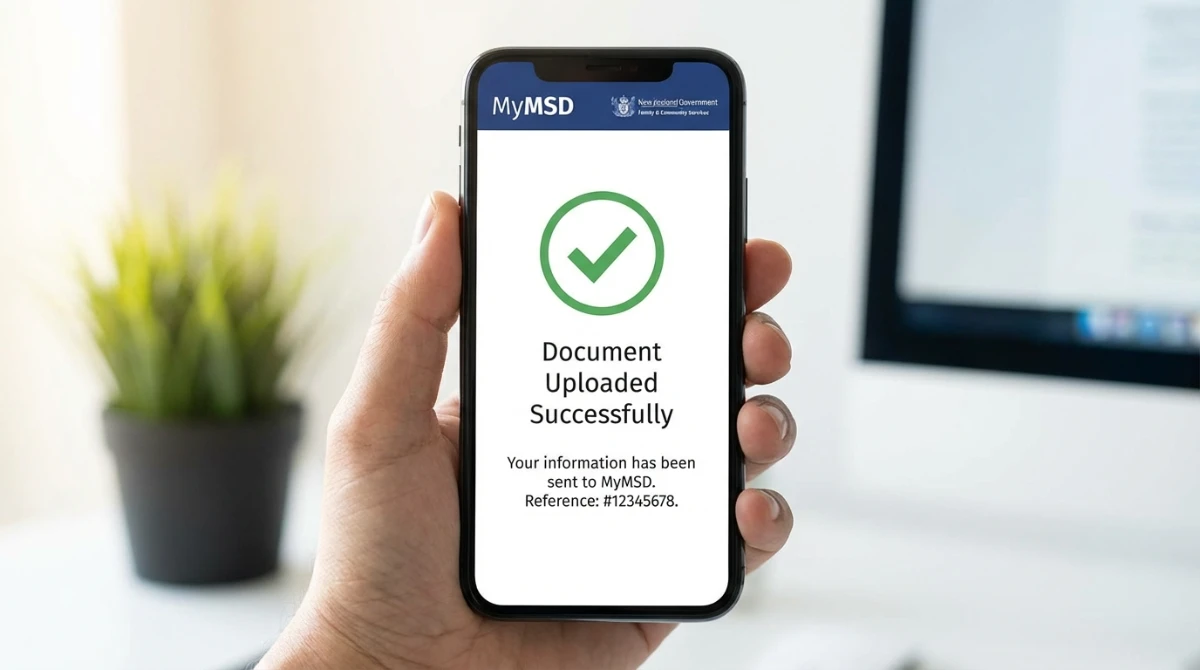
- MyMSD Upload: This is the preferred method for the Ministry of Social Development. You can take photos of your completed forms and upload them directly via your smartphone or computer. This creates an instant digital trail and assigns the documents to your client record immediately.
- In-Person Submission: Visiting a local service center allows you to hand over your paperwork directly. This is beneficial if you need to have original documents verified or if you require immediate hardship assistance, such as a food grant.
- Postal Mail: While still an option, this is the slowest method and carries the risk of documents being lost in transit. If you must mail your forms, it is recommended to use a tracked service.
Regardless of the method, ensure that every page of the downloaded form is included. Missing pages or unsigned declarations are the leading causes of delays in the New Zealand welfare system. Case managers cannot process an application that lacks a formal signature on the declaration page, which confirms that all information provided is true and correct.
Navigating Hardship and Emergency Assistance
Life in New Zealand can sometimes present unexpected financial hurdles. The Ministry of Social Development offers ‘Special Needs Grants’ and ‘Recoverable Assistance Payments’ for these moments. If you need to download winz forms for emergency situations, you are likely looking for hardship assistance. These grants can cover urgent needs such as:
- Emergency Food Grants: For families or individuals who cannot afford essential groceries.
- Emergency Dental Treatment: To cover the cost of urgent dental work that cannot be delayed.
- School Costs: Assistance with uniforms and stationery at the start of the academic year.
- Housing Relocation: Help with bond and rent in advance for those moving into a new flat.
It is important to note that some hardship assistance is “recoverable,” meaning it is effectively an interest-free loan from the government that must be paid back through small weekly deductions from your future benefit payments. Other grants are “non-recoverable” and do not need to be repaid. The forms for these grants require a detailed breakdown of your current bank balance and an explanation of why the cost is urgent and cannot be met from your existing resources.
Disability Allowance and Health-Related Support
For many New Zealanders, long-term health issues or disabilities create ongoing financial pressure. The Disability Allowance is one of the most common reasons people seek to download winz forms. This allowance is not just for the person with the disability; it can also be accessed by parents of children with disabilities via the Child Disability Allowance.
The application for a Disability Allowance requires a specific section to be filled out by a registered medical professional (usually your GP). This section verifies the condition and the associated costs, such as regular prescriptions, therapeutic massage, or increased heating costs. Because a doctor’s signature is required, downloading the PDF form and taking it to your medical appointment is the most efficient way to handle this requirement. This ensures your doctor can provide the necessary clinical evidence directly on the form that you will eventually submit to MSD.

Troubleshooting Common Application Issues
Even after you download winz forms and fill them out, errors can occur. To avoid common pitfalls, consider the following checklist before you submit your application to the Ministry of Social Development:
- Check the Date: Ensure all forms are signed and dated within 30 days of submission. Older forms may be rejected.
- Bank Account Verification: MSD requires proof of your bank account number via a stamped bank statement or a pre-printed deposit slip.
- Income Evidence: If you have recently left a job, you will need a ‘Statement of Earnings’ or a letter from your previous employer confirming your final pay and any redundancy or holiday pay received.
- Relationship Status: WINZ has strict definitions of ‘relationship’ for benefit purposes. Be sure to read the definitions carefully to ensure you are applying as the correct entity (single vs. joint).
Conclusion and Key Takeaways
The ability to download winz forms and navigate the Ministry of Social Development’s requirements is a vital skill for anyone requiring financial support in New Zealand. By taking a proactive, organized approach to your application, you significantly increase the likelihood of a fast and fair assessment of your entitlements. Remember that the social security system is there to support you during transitions—whether that is finding a new job, managing a disability, or raising a family. Using the digital tools and physical forms available ensures that you remain integrated with the support structures designed to help all New Zealanders thrive.
Key Takeaways
- Accessibility: You can download all necessary WINZ forms as PDFs from the official Work and Income website or collect them from service centers.
- Efficiency: Using MyMSD for document uploads and RealMe for identity verification is the fastest way to process your application.
- Accuracy: Ensure every section of your downloaded form is completed, signed, and accompanied by the required evidence (ID, bank statements, medical certificates).
- Diversity of Support: WINZ provides specific forms for Jobseeker Support, Accommodation Supplements, Disability Allowances, and Hardship Grants.
- Professionalism: Keep copies of all submitted forms for your personal records to ensure clarity in your communications with MSD.